
Key Takeaways
- Smart outlets are IoT devices that allow you to remotely and automatically control plugged-in appliances using WiFi, Bluetooth, Zigbee, or Matter, making your life more convenient and reducing wasted energy. Check what protocols it supports to make sure it will play nice with your existing hub or voice assistant.
- Internal relays switch power on and off under app or schedule commands, so pick plugs with robust relays and a manual override button for dependability and longer life.
- Smart plugs equipped with power telemetry offer real-time insights into your energy usage. They report in watts or kilowatt-hours, allowing you to detect high-usage devices and generate reduction lists and schedules to reduce consumption and costs.
- Balance cloud features and local control by allowing automatic firmware updates for security and favoring local modes or network isolation if privacy and offline reliability are key.
- Match the plug to the appliance by verifying wattage and load type. Use smart plugs for lamps, fans, and small appliances. Choose heavy-load or motor-rated models for inductive appliances and shun non-certified high-wattage loads.
- Select hardware by form factor and installation requirements with in-wall units for a permanent, high capacity option and external adapters for convenient, flexible installation. Go for established brands with frequent updates and a transparent privacy policy.
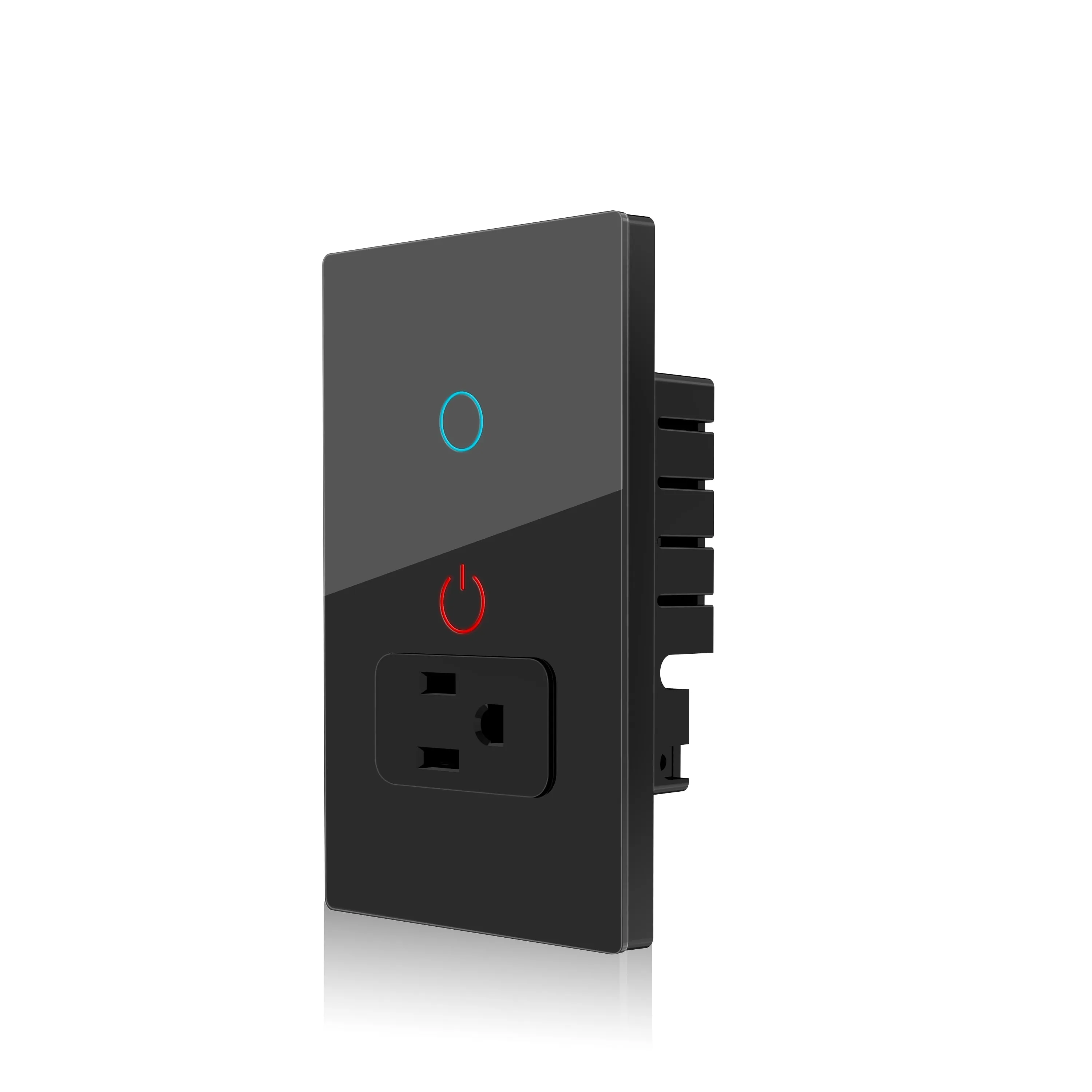
A smart outlet is a wall socket that connects to your home Wi-Fi network and allows you to control devices plugged into it from a distance. It tracks power consumption, allows scheduling, and integrates with voice assistants and apps for timed on/off and energy monitoring. Models connect to existing wiring or replace a wall outlet, usually backing load limits in watts. The following sections cover setup steps, security concerns, and practical ways to save energy and add convenience.
Core Operation
Essentially, a smart outlet is an IoT device that enables you to control and automate the power supply to plugged-in appliances. It lives between the wall supply and an appliance, turning power on or off, reporting consumption, and obeying schedules or voice commands. These receptacles provide the fundamental unit for power control and convenience in contemporary residences and small workspaces.
1. Wireless Protocols
Smart plugs use different wireless links: WiFi, Bluetooth, Zigbee, and Matter. WiFi models tend to connect to your home network right away and provide remote control without additional hardware. Bluetooth units are great for within range control but not so much for remote access. Zigbee and Matter are mesh-capable and typically require a hub or bridge for cloud access, but they scale more effectively in feature-dense smart-home configurations. Protocol selection determines if a plug will integrate with Google Home, Amazon Alexa, or Apple Home and what routines you can repurpose. Verify protocol support prior to purchase, particularly if you operate a hub already or desire voice assistant integration. Certain plugs connect directly to a router, while others need a vendor hub that connects multiple devices and stores local scenes.
2. Internal Relays
Within the plug is an electronic relay that physically breaks or makes the circuit to the outlet. The relay reacts to app commands, schedules, or voice triggers and controls the actual current flow. Relay quality matters; cheap relays can fail after repeated switching, especially under heavy loads like space heaters or pumps. Most plugs provide a manual button to force the relay state, allowing a quick override if the network or cloud is down. Manufacturers rate maximum current and watts. Check those specs as air conditioners, refrigerators, and laundry machines can exceed a smart plug’s capacity.
3. Cloud Integration
Cloud services allow you to manage plugs remotely and support integration with devices, voice assistants, and third-party services. The cloud enables firmware updates, automated rules, energy analytics, and historical logging of usage. Some vendors require cloud accounts for full features. Others provide local-only modes for privacy-minded users. Trusting the cloud invites security and privacy issues, so activate strong passwords, two-factor authentication, and examine data-retention policies prior to hooking up too many devices.
4. Power Telemetry
Telemetry here is real time and logs power in watts or kilowatt-hours. Plugs with telemetry indicate which devices pull the most power, enable you to construct lists or tables of consumption by appliance, and inform waste reduction decisions. It lets you follow trends over days or months and can save bills when you move usage away from peaks.
5. Firmware Maintenance
Firmware updates close security holes, introduce new features, and resolve bugs. Set up auto updates via the maker’s app and monitor alerts. Outdated firmware can break compatibility or leave devices exposed. Frequent inspections keep you running smoothly and protect you from common exploits.
Device Suitability
Smart plugs suit a lot of household devices, yet fit does not mean safe or effective control. Nearly all smart plugs are compatible with any device that physically fits into a standard American outlet, but electrical behavior, startup current, and control method determine whether a device is suitable. Look for the plug’s max wattage. Most caution against exceeding 1,800 watts. Check the manufacturer’s supported device types and if special hubs or protocols are needed for full function.
Mechanical Switches
Devices with physical on/off switches typically work as expected with a smart plug. If a lamp is off by a toggle on an inconveniently located knob, the lamp will come on when the plug delivers power. The same applies to table fans and manual toggles. Certain coffee makers with basic mechanical toggles will start brewing when power is applied, but those with embedded timers or electronic latches may not.
Soft switches and touch switches on lots of electronics don’t come back on after the power is cut. A touch lamp might need a tap to wake its electronics, and a fancy new printer could go into an error state. Test each device: unplug and plug it back, then watch whether it restarts and performs as expected. Typical compatible loads are conventional lamps, most fans, and some older coffee machines.
Inductive Loads
Inductive loads contain motors or transformers and are electrically distinct from resistive loads. Consider refrigerators, pumps, air conditioners, and many power tools. These devices take a large surge current at startup that can overwhelm a smart plug’s rating. Most generic smart plugs are not suitable for inductive loads and will overheat or fail if exposed to these loads.
Be sure to select smart plugs specifically rated for motor or inductive use when controlling these devices. Search for types that specify inductive present handling or possess a larger wattage threshold significantly greater than 1,800 watts. Using a plug-in that doesn’t fit can harm the plug, the appliance, and be a fire risk. Check appliance specs or with an electrician if you’re not sure.
Phantom Loads
- Set-top boxes, game consoles, phone and laptop chargers, and smart TVs all consume phantom loads when “off.
- Utilize intelligence plugs to sever power entirely to amusement facilities, chargers, and small appliances to eliminate standby draw.
- Big standby consumers like cable boxes or routers can each suck down 5 to 20 watts, 24/7. Removing those pulls can save tens of kilowatt-hours a year.
- Minimizing phantom loads helps energy efficiency and reduces bills. It contributes to larger sustainability objectives.
Compact plug size means everything when trying to fit multiple outlets or overhead fixtures. Some plugs utilize Thread, Zigbee, or Z-Wave and might require a compatible hub. They have some quirks with some ecosystems like Apple without additional setup or hardware.
Advanced Capabilities
Smart outlets take simple on/off control and make it part of a suite of advanced capabilities that enable users to control, monitor, and automate home and small-business devices with sophistication. Here are the advanced capabilities that are built into most higher-end smart plugs, listed as bullet points for easy skimming.
- Remote control through mobile apps and voice assistants (Alexa, Google Assistant, Apple Home) for hands-free and off-site operation.
- Schedule and timers control lights, outdoor plugs, heaters, and appliances on hourly or daily cycles.
- Micro-scheduling for very short, frequent on/off cycles for fans, aquarium lights, circulation pumps, and more.
- Energy monitoring tracks real-time and historical power consumption in watts and kilowatt-hours.
- Consumption analytics and reports showcase high-use devices and trends over days, weeks, or months.
- Grid-aware features shift loads based on time-of-use pricing or utility signals to save costs.
- Integration with other smart devices, such as thermostats, cameras, and lighting, allows for orchestrated scenes and security reactions.
- Multi-outlet units control multiple devices from one wall outlet or power strip.
- Safety functions include overheat detection, surge protection, and flame-retardant housings.
- Geofencing and presence-based automation shut devices off when people leave and turn them back on when they return.
Micro-Schedules
- Wake-up routine to turn on a small heater 30 minutes before a person wakes and then cycle off to save energy once a room is warm enough.
- Run a fan in short bursts: five minutes on and ten minutes off to increase air movement and avoid steady-state current draw.
- Cycle grow lights for houseplants with precision, utilizing multiple daily intervals that correspond to species specific light requirements.
- Automate aquarium lighting and pumps. Staggered schedules can mimic sunrise and sunset and reduce sudden stress on aquatic life.
- Employ terse, repeating cycles on outdoor security lights to discourage intruders while minimizing runtime and bulb wear.
Grid Automation
Smart plugs can react to utility signals or TOU rate schedules to move heavy loads out of peak pricing times. This allows them to shift activities such as EV charging or clothes drying to less expensive, overnight periods. When connected to a home energy management system, smart outlets are involved in coordinated load control, momentarily shedding noncritical loads during grid strain. For communities, widespread adoption of such devices aids in flattening demand peaks, enhancing grid stability and promoting sustainability. Integration examples include automated delay of water heater cycles during a utility demand response event.
Consumption Analytics
Consumption analytics display device-level data in charts and tables so users can identify waste and make decisions. Visual reports show daily kWh, cost estimates in a standard currency, and trend lines to compare months. Analytics can assist in identifying inefficient appliances and informing upgrade decisions, such as swapping out a 3,000-watt kettle or an old space heater. Setting energy-saving targets becomes practical. Users can track progress, receive alerts when consumption spikes, and adjust schedules or behaviors accordingly.
Architecture Trade-Offs
Smart outlet architecture impacts installation, control, scalability and ongoing security. The decision between in-wall units and external adapters drives most downstream decisions. In-wall units rest behind the faceplate and replace a wall socket. They look neat, open up the second outlet, and usually allow for higher continuous loads. Installation typically requires some light electrical work and sometimes a licensed electrician to meet local codes. In-wall units are superior for stationary devices such as refrigerators, ceiling lamps, or built-in entertainment systems where a neat, permanent solution is important. External adapters, the plug-in smart plugs, are easy to install, typically take seconds to connect to a Wi-Fi network, and are cheaper upfront. They are great for lamps, fans, and small appliances and allow people to take the device from room to room. Some plug-in models include multiple outlets on one unit so you can defragment your cords and manage multiple devices simultaneously, which is convenient for your entertainment center or home office.
Local control versus cloud reliance is a big trade-off for responsiveness and privacy. Local control keeps automation and simple scheduling locally within the home network, so commands are executed quickly even when the internet is down. It sends less data to vendors, which enhances privacy and reduces long-term risk. Cloud services introduce remote access, sophisticated automation, and third-party integrations with no local hardware. Cloud-based systems allow users to monitor power consumption remotely, activate voice assistants, and deliver firmware updates. The downside is that outages or vendor changes can break automations, and continuous cloud use raises privacy concerns. A hybrid approach often works best: critical or safety-related rules run locally, while nonessential insights and remote features use the cloud.
Protocol compatibility influences system scale and reliability. Wi-Fi smart plugs are simplest for direct internet control and are generally least expensive. They are most prone to congesting home Wi-Fi if you have a lot of devices. They can report energy usage and work with voice assistants. Zigbee and Z-Wave require a hub but employ mesh networking, which scales better in dense deployments and reduces device-level power requirements. New standards such as Matter are designed to unify devices across ecosystems, simplifying future compatibility. If you’re designing a multi-room arrangement, select protocols that fit anticipated device numbers, coverage requirements, and preferred integrations.
While advanced features such as energy monitoring, multi-outlet control, and voice integration bring value, they demand maintenance. Energy reports reduce consumption and monthly cost by exposing standby loads or inefficient devices. Remote shutdown makes unattended appliances safer. Features lead to more firmware, more exploits, and more maintenance. Plan to update from time to time, use strong passwords, and check permissions, particularly if you’re using the cloud.
Security Vectors
Smart outlets make your life easier and provide energy transparency. They add security vectors that need to be scrutinized. Most vulnerabilities stem from weak authentication, lax firmware habits, and expansive cloud access. Smartphone-controlled, web-connected plugs occasionally have coding issues that reveal the home Wi-Fi network. Security vectors: Researchers have repeatedly found exploits that allow lateral movement from a compromised plug to other devices. Others function as mini control centers for other smart devices, which can compound risk if that hub is compromised. Remote control through a mobile app is a popular attack vector when apps or accounts aren’t well secured. Energy-use monitoring, for example, although helpful, can expose when people are home or away and enable malicious profiling if abused or leaked. The absence of common standards across manufacturers makes uniform security nearly impossible and raises the risk that one vulnerable link sabotages an entire arrangement.
Local Control
Choose devices that allow for local control to minimize exposure. Local operation allows commands to be processed within the home, avoiding cloud paths and reducing the threat of interception. Devices connected with local hubs or voice assistants such as HomeKit or an open Zigbee/Z-Wave controller can maintain sensitive logic offline. Local hubs reduce latency so switches react quicker and maintain automation during outages. When a plug is a mini hub, see if it supports local APIs and can function without vendor servers. If the vendor compels cloud reliance, accept increased privacy and uptime exposure.
Network Isolation
Isolate smart plugs from core systems to reduce damage should one get hacked. Put IoT devices on their own Wi-Fi SSID or VLAN, or use a guest network so that they can’t see PCs, NAS drives, or cameras. Dedicated IoT routers with strict firewall rules can prevent a compromised device from communicating with sensitive hosts. Periodically review what devices can connect and delete stale entries. Swap default SSIDs and passwords and don’t use the same ones across device classes. Isolation is simple but effective. It contains threats and reduces the attack surface.
Data Harvesting
Frame data collection as a security and privacy vector. Most plugs report usage statistics back to manufacturers for analytics or marketing purposes. These streams can contain timestamps which easily map your daily routine. Common sense dictates reading privacy policies to see what is shared and with whom. We like ones that offer an opt-out or minimize telemetry. Turn off cloud backup or remote features when unnecessary. If you keep cloud services, enable two-factor authentication and strong encryption on accounts to limit unauthorized access. In other words, choose options and equipment that strike an equilibrium between essential functionality and minimum data imprint.
Hardware Selection
Hardware selection establishes the foundation for dependable, secure, and valuable smart outlet implementation. Focus on three core criteria: form factor, power rating, and protocol support. Form factor is part of what decides how and where your device fits. Compact plug-in adapters are great for snug spots, whereas in-wall units provide that flush, integrated appearance. Power rating indicates whether the outlet can manage the load of the connected appliance. High-draw appliances such as space heaters, ovens, or window air conditioners require outlets with a high current rating. Protocol support—Wi‑Fi, Zigbee, Z‑Wave, Thread, or Bluetooth—affects range, latency, and compatibility with hubs or mesh networks. Look for energy monitoring, multi-outlet designs, and 3‑prong grounding compatibility, which introduce safety and insight into consumption.
In-Wall Units
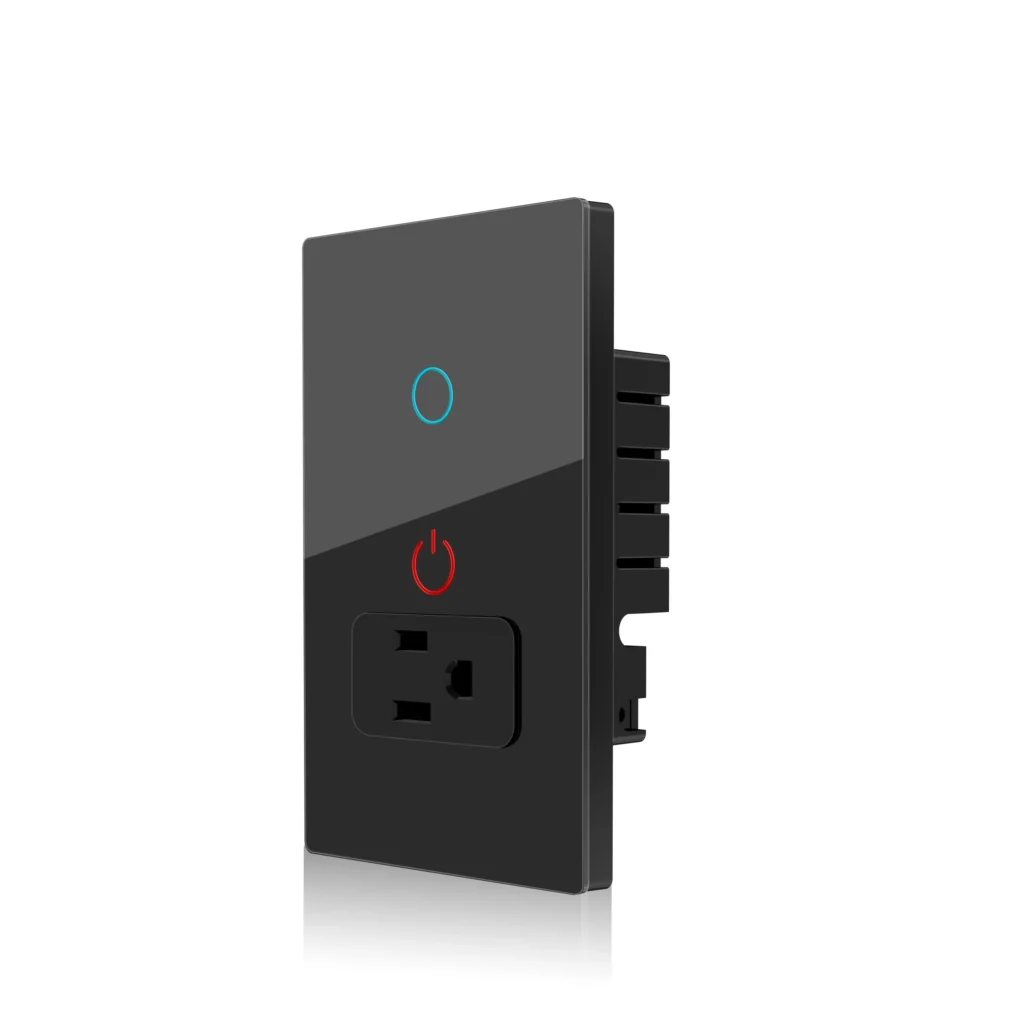
Mount in-wall smart outlets if you desire a permanent solution that melds with the room. They tend to accommodate higher wattage loads and sometimes feature two outlets, enabling you to power more than one item per wall socket. Built-in integration with your home wiring looks clean and reduces clutter from cords and external adapters. As these units are swapping out existing receptacles, they need to be code compliant and installed by a licensed electrician. Professional installation minimizes risk, guarantees grounding for three-prong devices, and maintains circuit integrity in locations with multi-amp loads.
External Adapters
Plug-in smart adapters make it quick to set up and flexible without any wiring work. They insert into current receptacles and allow you to relocate the control point as demands shift, ideal for leases or short-term configurations. Mini plugs come in handy when your sockets are behind furniture or in tight spaces, while bigger adapters can potentially block the adjacent outlet, so measure up before you buy. Outdoor-rated external adapters enable weatherproof control of patio lights, pumps, or garden lights. Seek IP ratings and rugged housings for wet or dusty environments. Many external adapters already have energy monitoring and several outlets, allowing you to add smart control to legacy appliances and track usage without replacing the actual appliance.
Compatibility and Support
Check voice assistants, hubs, and automation platform compatibility before purchase. Some smart outlets operate exclusively through a proprietary app and Wi-Fi, while others connect to an ecosystem through Zigbee or Z-Wave hubs for wider automation. Choose good brands that release firmware updates and have strong customer support. Firmware updates patch bugs and provide added security as time goes on. Consider the environmental fit too. Outdoor use, three-prong grounding needs, and the specific power draw of connected devices affect both performance and safety.
Conclusion
Smart outlets connect old plugs to new control. They allow consumers to control power, schedule timers, and monitor energy via a smartphone or hub. Most models support Wi-Fi or Zigbee. Others simply add flow sensing, surge guard, or load split for heavy gear. MATCH THEM: Choose a unit appropriate for the plug, the circuit rating, and the home network. Look out for flaky firmware, wide debug ports, and default passwords. A metal shell and a proven chip reduce risk. Trial a unit with a spare lamp and a simple scene. For small homes, a few smart outlets bring big wins: lower waste, better schedules, and clearer power data. Sample one, experiment, then go big.
Frequently Asked Questions
What is a smart outlet?
A smart outlet is a power outlet with embedded connectivity. It allows you to turn on or off and track devices from an app, voice assistant, or through automation routines.
How does a smart outlet connect to my network?
The majority of smart outlets employ Wi-Fi, Zigbee, or Z-Wave. Wi-Fi links directly to your router, while Zigbee and Z-Wave utilize a hub to connect devices to your home network.
Which devices work with a smart outlet?
Smart outlets suit any device that responds to simple on/off control: lamps, fans, chargers, coffee makers, and some small appliances. Steer clear of high-power appliances unless the outlet is designed for them.
What advanced features do smart outlets offer?
They provide scheduling, energy monitoring, reports on usage, scenes, voice control and remote on/off. These capabilities conserve power, provide convenience, and enable automation workflows.
What security risks should I know about?
Risks encompass feeble passwords, unencrypted links, and old firmware. Use robust passwords, turn on updates, and pick trusted brands to minimize risks.
How do I choose the right smart outlet hardware?
Choose outlets with the appropriate power rating, supported protocol (Wi-Fi, Zigbee, or Z-Wave), energy monitoring if desired, and good reviews. Pick a brand that provides regular security updates.
Can smart outlets work without an internet connection?
Yes. Several maintain local control through Zigbee or Z-Wave hubs or local network functionalities. The internet is needed for remote access and cloud services.