

Key Takeaways
- Set the fan to spin counterclockwise in summer for downward airflow and wind chill. Crank that baby up when it’s hot outside to minimize air conditioning.
- Change the fan to clockwise in winter to pull warm air down from the ceiling at low speed, assisting heating efficiency and room coziness.
- Ensure you do turn the fan off before flipping the direction switch or going up on a ladder and check your user manual or fly-by-wire remote/app controls for model-specific instructions.
- Fans can be an important part of your energy saving strategy. Raising summer thermostat settings by about 4 degrees and lowering winter settings a few degrees when used in conjunction with fans running only in occupied rooms.
- Make sure your fan is placed optimally for performance, with the right size and blade angle and multiple fans or downrods for large or high-ceiling spaces.
- Service your fans seasonally. Clean the blades, tighten the hardware, and check the wiring for any wear to keep your equipment running safely, efficiently, and longer.
About ceiling fan direction summer vs winter. Ceiling fan direction settings in summer, counterclockwise, stir air and direct airflow to produce a cooling breeze and reduce perceived temperature.
In winter, reversing the direction pulls warm air down from the ceiling to drive heating and save energy. Basic switch controls on the majority of fans allow homeowners to adjust airflow for each season and save on energy bills.
Seasonal Rotation
Seasonal rotation – change your fan’s spin with the seasons so airflow assists your heating or cooling system. Adjust the thermostat twice a year to reduce energy consumption and maintain consistent comfort. Use Daylight Savings Time as a reminder to keep the swap easy and routine.
1. Summer Cooling
Reverse your fan blades to spin counterclockwise in the summer so that the fan makes a downdraft. It pushes air down, creating a wind chill effect, which makes people feel cooler without lowering the thermostat. You can smell the wind on skin; that nip in the air allows you to turn the thermostat up by 4 degrees and still occupy a cozy warm zone.
Increase fan speed for maximum cooling while the room is occupied. Combine fans with air conditioning: the fan evens out cooled air, so the AC runs less and energy use falls. Savings on cooling can reach up to about USD 38 per month in some cases. Changing direction is easy: use the small switch on the fixture, a remote, or voice command if you have a smart fan.
2. Winter Warming
Change the blades to rotate clockwise in winter to generate a mild updraft that pulls cool air upward and down warm air along the walls. This circulates heat that’s been trapped near the ceiling and eliminates cold spots. Keep fan speed low so its movement is subtle and an undetectable draft that would feel cold.
Operating your fan in this manner reduces reliance on the furnace and helps shrink heating bills. A slow clockwise rotation circulates warm air without chilling occupants. Make the shift when clocks go for a simple routine.
3. The Physics
Whether a fan blows up or down depends on the direction its blades are spinning. In counterclockwise mode, the blade angle slices air downward toward the floor, creating downdraft and surface-level cooling. In clockwise mode, it spins at the same blade angle, lifting air to the ceiling and then allowing it to flow back down walls.
Speed matters; higher RPMs make stronger flow but can waste energy if not needed. The fan’s purpose isn’t to alter room temperature, but to shift air so your HVAC systems operate more effectively. Correct direction and speed combined maximize cooling and heating efficiency.
4. The Feeling
The correct spin shifts felt comfort more than actual air temperature. Summery downdraft clears the air 15 degrees and feels cool. Winter updraft smoothes cold pockets and levels warmth. Effective in low to high ceiling rooms, taller rooms may require higher fan installation or more powerful airflow.
Seasonal rotation is an easy action with real comfort and money-saving advantages.
Adjusting Your Fan
Adjusting your fan points air flow in the right direction for each season. In summer, blades should spin counterclockwise to push cool air down. In winter, they should turn clockwise to stir up cool air and cause warm air to come down.
Change direction safely for fall and winter months. Consult your manual for model-specific steps. Make this part of a seasonal routine, maintain comfort levels, and keep energy consumption to a minimum!
The Switch
Find the tiny switch on the fan base or motor housing. This flips blade rotation. The switch usually has two labeled positions: one sets counterclockwise (summer) and the other sets clockwise (winter).
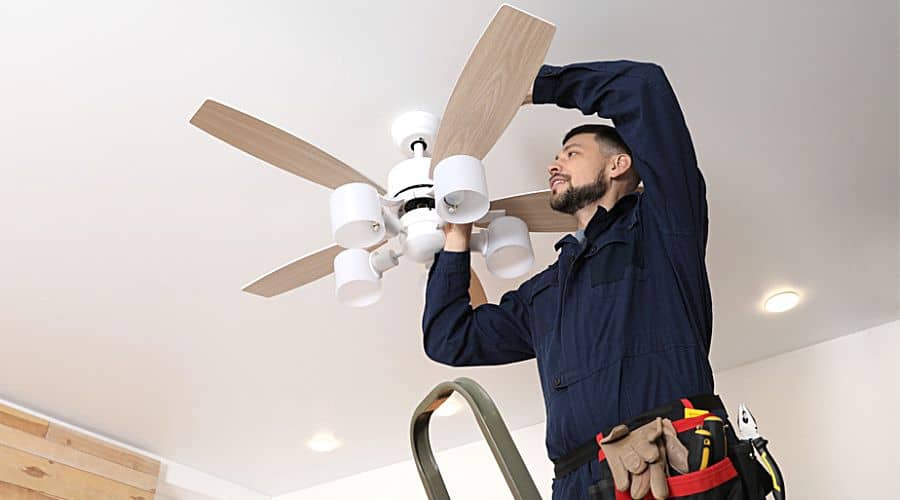
If you have ceiling fans mounted on high ceilings, grab a reliable step stool or ladder so you can reach the housing without stretching. Make sure to turn the fan off before doing this to prevent injury from moving blades.
Once the season is over, flip the switch back to its default positioning so settings remain consistent from year to year.
- Steps for safely adjusting direction using the switch:
- Shut power at the wall switch or yank the chain to halt the blades.
- Take a ladder on firm earth and have an assistant hold it firm if you can.
- Locate the slide or toggle switch on the motor housing.
- Flip the switch to clockwise (winter) or counterclockwise (summer).
- Turn the fan on, starting with low to verify that it is rotating in the right direction.
- Switch back to the previous setting after seasonal use if necessary.
The Remote
Most new fans have a remote with a reverse or direction button. The remote usually displays an icon or the word “Reverse.” Touching it reverses blade rotation without ladder access.
Mark the remote or leave a little slip with the button’s name if you have others sharing control. Using a remote makes it simple to adjust direction and speed from the floor. It’s nice for tall ceilings or to change several room fans.
The App
- Grab the manufacturer’s app from the device store and register an account if necessary.
- Through in-app prompts, add your fan by scanning a QR code or entering a model number. Link over Wi-Fi or Bluetooth.
- Adjust Your Fan Direction, Seasonally with the App Rotate your fan’s direction, schedule seasonal swaps, and program automatic reversals on your preferred dates, all using the app.
- Explore timers, speed presets, and smart home integration so the fan syncs up with thermostats or voice assistants.
App control lets you auto-schedule direction changes, which is handy for busy homes. Adjusting speed in combination with direction can improve comfort and reduce energy bills.
Energy Efficiency
Ceiling fans save energy and increase comfort by circulating air, allowing occupants to feel cooler in summer and distribute warm air in winter. Switching fan direction seasonally is a quick, low-cost step that maximizes energy efficiency throughout the year and reduces stress on heating and cooling systems.
Summer Savings
Running a ceiling fan allows you to increase the thermostat by about 4°C. Four degrees Fahrenheit is often quoted, but go with 4°C per metric standard here. That move by itself can reduce cooling load and energy bills.
Fans consume just a few tens of watts, usually 15 to 90 depending on speed and model, while a central AC can easily run 2,000 to 3,500. Don’t waste electricity by operating fans in unoccupied rooms. Choose an ENERGY STAR fan when possible. Certified models can be up to 40% more efficient than standard fans, shrinking energy use further.
- Tip: Run fans on high briefly to cool a room. Then set to medium for steady comfort.
- Tip: Pair fan use with a modest thermostat raise for best savings.
- Tip: Switch fans off when rooms are unoccupied. Fans cool individuals, not rooms.
| Device | Typical Power Draw (watts) | Relative energy use |
|---|---|---|
| Ceiling fan (low) | 15 | Very low |
| Ceiling fan (high) | 90 | Low |
| Central AC (small) | 2000 | High |
| Central AC (large) | 3500 | Very high |
Winter Savings
Put the fan on winter (clockwise) at low speed to push the warm air down from the ceiling without a cool breeze. Energy saving mode running low consumes little energy and may reduce drying time.
Otherwise, warm air circulating into rooms in a home with high ceilings or open plans lessens the heating burden and fuel or electric bill. Fans dissipate warm layers near the ceiling, so radiators or furnaces run less often and last longer.
Winter mode should be used while heating and only when necessary. One easy to implement control step is using fans year-round, with direction changes between seasons, to save energy.
Routine upkeep and employing efficient models prolong fan life and decrease strain on HVAC units, save maintenance expenses and enhance system lifespan.
| Scenario | Effect on Heating Cost |
|---|---|
| No fan | Baseline |
| Fan, low speed, winter mode | Lower heating runtime |
| Fan + thermostat lowered 2°C | Noticeable savings |
Advanced Optimization
Advanced optimization of ceiling fan placement, blade design, and room dynamics fine-tunes seasonal direction decisions and produces tangible energy and comfort savings. Small changes add up. Optimized fans can cut energy use by up to 40 percent in peak summer, make a room feel about 4 degrees Celsius cooler, and let occupants raise the thermostat 2 to 4 degrees Celsius when used with air conditioning. The subtopics below show precisely what to check and how to act.
Fan Placement
To achieve balanced circulation and avoid dead zones and uneven cooling, put fans in the room center. Position blades such that the lowest point is a minimum of 2.1 m above the floor and maintain a distance of at least 0.45 m from walls with fans to prevent turbulent airflow and safety hazards.
For high or vaulted ceilings, install downrods sized to position the fan within your ideal 2.1 to 2.7 m range, which increases effective sweep and minimizes energy wastage. Steer clear of light fixtures or nearby beams that block airflow. A single barrier can reduce efficient circulation by a significant amount.
In big rooms, one large fan may not do the trick. If you have multiple fans, arrange them to overlap sweeps by approximately 20% to even out flow.
Blade Design
Select blades with a 12 to 15 degree thrust angle. Shallower angles do not move a lot of air, while steeper angles cause the motor to work too hard. Select materials and profiles for the environment: composite or treated hardwood indoors, weather-rated synthetics or marine-grade finishes outdoors.
Compare standard models to high-performance units. High-efficiency motors and aerodynamic blades perform better in big or tall rooms and often use similar or less power while moving more air. Blade count and width matter too.
Fewer wide blades can move more volume at low RPM, thus using less energy. Some fans on low barely draw 25 watts, yet they are still perceptibly cool. Match blade geometry to motor torque to prevent wobble and noise.
Room Dynamics
Consider room size, shape and ceiling height when determining fan size and quantity. A 20 to 30 square meter room usually requires a 107 to 132 cm fan, whereas larger open-plan spaces can benefit from several 76 to 132 cm fans deployed strategically around the space.
Adjust blade pitch and fan speed seasonally: counterclockwise at higher speeds in summer creates a cooling breeze, and clockwise at low speeds in winter gently pushes warm air down. This can help lower heating bills by spreading warm air.
Arrange furniture to avoid blocking airflow and shift fan speed by activity: higher for active zones and lower for sleep areas. Seasonal direction changes are quick easy wins that most homes implement to reduce bills while maintaining comfort.
Smart Integration
Smart integration connects ceiling fans with other home systems to enhance comfort and reduce energy consumption. Pairing fans with thermostats, sensors, lighting, and voice assistants makes the fan do more than spin. It responds to temperature, presence, and schedules so you rely less on the thermostat and manual changes.
Automation
Set seasonal schedules so fans switch direction automatically: counterclockwise for summer to create a cooling downdraft, clockwise for winter to push warm air down along walls. Connect the fan to the thermostat so that when the room hits a certain temperature, the fan ramps up or down, or reverses direction at dusk and dawn.
Smart Integration, for example, use motion or occupancy sensors to slow or stop fans in empty rooms, saving power and reducing wear. Geofencing automatically toggles fans when you enter or exit. For instance, establish the system to initiate the fan at low winter clockwise speed a couple minutes prior to your return, so warm air is already circulating when you step in.
In summer, have the fan switch to a higher counterclockwise speed just prior to peak heat hours to keep the space comfortable without lowering the thermostat. Smart integration means automation minimizes manual fiddling and maintains comfort. Combine triggers: temperature, time of day, and occupancy for layered control: a fan that runs quietly at low winter speed while people are upstairs and switches to higher summer speed only when rooms are occupied.
Such a responsive system delivers comfort with less energy to waste.
Customization
- Fan direction scheduling: Set seasonal or monthly profiles for automatic reversal.
- Speed presets: save low, medium, and high settings that are tied to different activities.
- Scene linking: Pair fan modes with lighting scenes for movie, work, or sleep times.
- Sensor-based modes: adjust by humidity, temperature, or motion input.
- Geofence profiles: different fan behaviors when home, away, or at night.
Store preferred settings in the app or remote for instant recall, like a winter comfort profile that circulates the fan clockwise on low speed and a summer cooling profile that circulates counterclockwise on medium-high. Adjust operation by occupancy or activity: stronger airflow for exercise rooms, gentler circulation for sleeping areas to avoid drafts.
Try combinations to find the most efficient use. Pairing low-speed clockwise circulation with a modest thermostat setback in winter can reduce heating use while keeping rooms even. Keep an eye on energy consumption in the smart app to see how your different settings impact energy and costs, and adjust schedules to find a comfort-cost balance.
Beyond The Switch
Beyond the flip of a blade direction, think of ceiling fans as an element in a more comprehensive energy game plan that restricts waste and reduces bills. That means routine maintenance, safety inspections, replacement when appropriate, and selecting options that fit your habits.
The tips below span actionable measures you can do without switching energy providers or that augment a switch. Local utility regulation and provider choice may be nice to have, but they don’t change the need for good maintenance and smart appliance selection.
Maintenance
Clean your fan blades and motor housing at least once a season to keep dust from accumulating. Dust weighs down, chokes airflow and puts strain on motors. A soft cloth and a little detergent is often enough.
Lightly damp cloths keep dust from scattering and protect finishes. Tighten screws and check for wobbling to keep things smooth and quiet. Wobble can indicate imbalanced blades or loose mounting.

Use a blade-balancing kit or swap blade positions to discover a cure. Little fixes usually eliminate the necessity of service calls. Oil moving parts if suggested by your manual for longer fan life.
Most contemporary fans have sealed bearings that require no oil, so consult your manual first. Over-lubrication can cause dust to stick and create issues, so heed manufacturer advice. Replace bulbs and check lighting.
Using LED bulbs reduces lighting energy consumption significantly more than incandescent or halogen alternatives. LEDs have a longer lifespan. Verify bulb wattage suggestions to prevent overheated fixtures and tripped circuits.
Safety
Cut power at the wall prior to maintenance or adjustments. Killing power at the breaker is safest if possible for more involved work. Handle the fan as live machinery until the circuit is locked out.
Make sure fans are mounted well so the blades do not come loose causing accidents, particularly on high ceilings. Inspect the mounting bracket and canopy for cracks or rust and reinstall with correct anchors if necessary.
For high ceilings, get a pro installer. Loose mounts can snap catastrophically. Stick to the suggested wattage for bulbs and don’t overload circuits. Most older fixtures are on circuits with numerous other loads.
Know the circuit’s amp rating and the total wattage to avoid trips and hazards. Label breakers where ambiguous. Keep fan blades free of obstructions and out of reach of children or pets.
Never hang anything from pull chains or blades. This will unbalance the fan and create hazards. Keep minimum clearance per local code between the blade tip and floor, furniture, or stair rails.
Energy-saving appliances and light bulbs. Adjusting fan direction by season helps too. Counterclockwise in summer creates a cooling breeze. Clockwise in winter circulates warm air.
Customers can switch energy products without disrupting regulated local utility service, and some are not subject to PUC price caps. Copyright 2026, original online content.
Conclusion
If a ceiling fan spins counterclockwise during warm months, it pushes cool air down. That assists skin to feel cooler and reduces air-conditioning use. In the cooler months, reverse and run the fan clockwise at low speed. The mild updraft circulates warm air from the ceiling back into the room and alleviates heater stress.
Check blade angle, fan height and room size for best results. Match fan cycles with occupancy using a timer or smart plug. Follow your electric meter or bills for evidence of savings. Experiment with a couple different settings, a week each, and observe comfort and energy consumption.
If unsure, pick the simple rule: counterclockwise for summer, clockwise for winter. Give it a whirl and feel the difference.
Frequently Asked Questions
What direction should my ceiling fan spin in summer?
For summer, you want the fan to spin counterclockwise. This sends air down, creating a cooling breeze and helping you raise the thermostat a few degrees to conserve energy.
What direction should my ceiling fan spin in winter?
Turn the fan clockwise on low during the winter. This softly sucks cool air up and presses warm ceiling air down walls, enhancing heat circulation without a draft.
How do I change the rotation direction on my fan?
Turn the fan off, wait until the blades stop, then flip the direction switch typically found on the motor housing. If there’s no switch, refer to the manual or a professional electrician to alter the wiring or settings.
Will reversing my fan actually reduce energy bills?
Yes. Operating the fan properly allows you to increase cooling setpoints in the summer and decrease heating load in the winter. This reduces HVAC runtime and conserves energy without sacrificing comfort.
What fan speed should I use for each season?
Set it to medium-high speeds in summer for direct cooling. In winter, use low speed so warm air mixes gently without cooling draft.
Can ceiling fans replace air conditioning or heating?
No. Fans don’t alter room temperature. They make you feel more comfortable by circulating air, so you can turn down the A/C or heat and save energy, but they don’t actually heat or cool the air.
How often should I maintain my ceiling fan for best performance?
Check and wash blades every 3 to 6 months. In addition, loosen mounts and check the direction switch annually. Consistent cleaning provides effective air circulation and extends fan longevity.